
Get Label Suggestions from Forage
3 min read · Last updated · Page version 1
Where content classification is enabled on a deployment.
Purpose: let Forage suggest labels for the kinds of record your sites hold. An AI model that runs inside your own deployment does the looking; you decide.
- Open Records, then Suggested Labels, and press Suggest labels.
- Tick the sites to look through, or Every included site. Only sites Forage has read are listed, with how many files it has read in each.
- Press Start, and confirm. Reading slows down while Forage looks, and returns to normal speed by itself when the suggestions are ready.
- Follow the steps on the page: making room, getting ready, looking through the groups, and putting it together. You can cancel at any time.
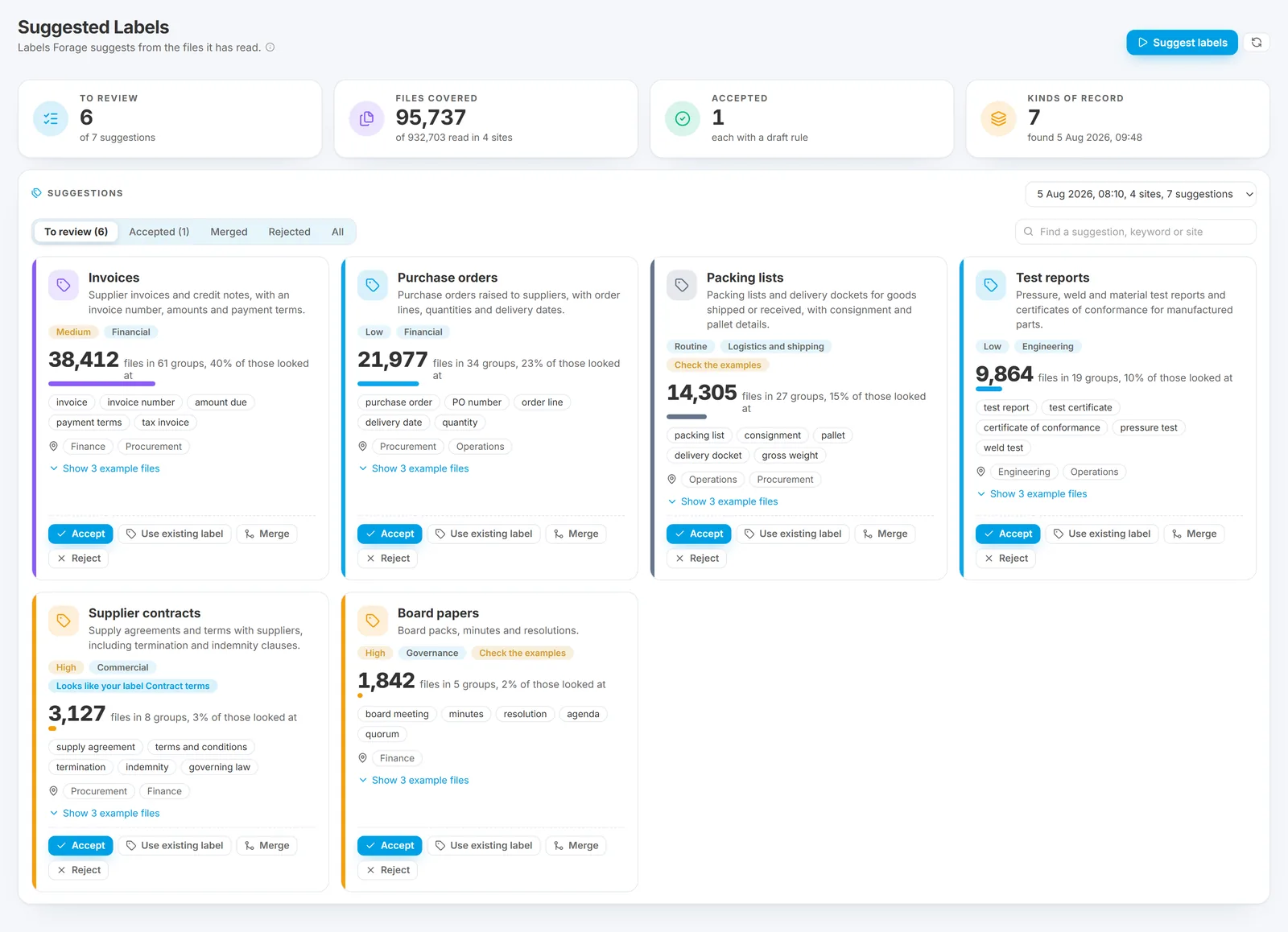
- When the suggestions are ready, each card shows a suggested label, how many files it covers, where they are, and the keywords a rule would look for. Press Show example files to open some of the files behind it.
- For each suggestion, choose one:
- Accept creates the label, with the name, category, severity, description and keywords as you edit them, and a draft rule that gives the label to files containing those keywords;
- Use existing label saves that draft rule for a label you already have;
- Merge folds it into another suggestion for the same kind of record;
- Reject sets it aside, and later suggestions leave it out.
- Open Content Rules, give the new draft rule a test run, and switch it on when you are happy with what it finds. Until then it labels nothing.
Good to know: suggestions come from groups of similar files, so a file unlike the others in its sites may get no suggestion. A suggestion's category and severity are a starting point: check them before you accept. Every decision is recorded on the Log page.
See what each page shows for the rest of the Records section, and limitations for what Forage does not do.
Questions go to sales@smikar.com.