
Find Files That May Need Protecting
3 min read · Last updated · Page version 1
Where content classification is enabled on a deployment.
Purpose: find files that look like the ones your staff have labelled with a Microsoft 365 sensitivity label, such as Confidential, but carry no label themselves.
- Open Records, then Files to Protect, and press Look for files.
- Under Sensitivity label, choose a label your organisation uses.
- Leave Where Forage learns from on Files Forage has read. Forage learns from files it has already read that carry the label, which is the quickest way.
- Under Kinds of file, choose the kinds to look at, such as documents and spreadsheets.
- Under How many labelled files Forage learns from, choose 1,000, 2,000, 5,000 or 10,000. More files find more of the patterns and take longer.
- Press Start. Reading slows down while Forage looks, and returns to normal speed by itself when it has finished. The page follows the steps: finding labelled files among those Forage has read, learning the patterns, and checking every file it has read against them. You can stop at any time, and what it found so far is kept. Forage AI does one job at a time, so if label suggestions are being prepared, Start works once they are ready.
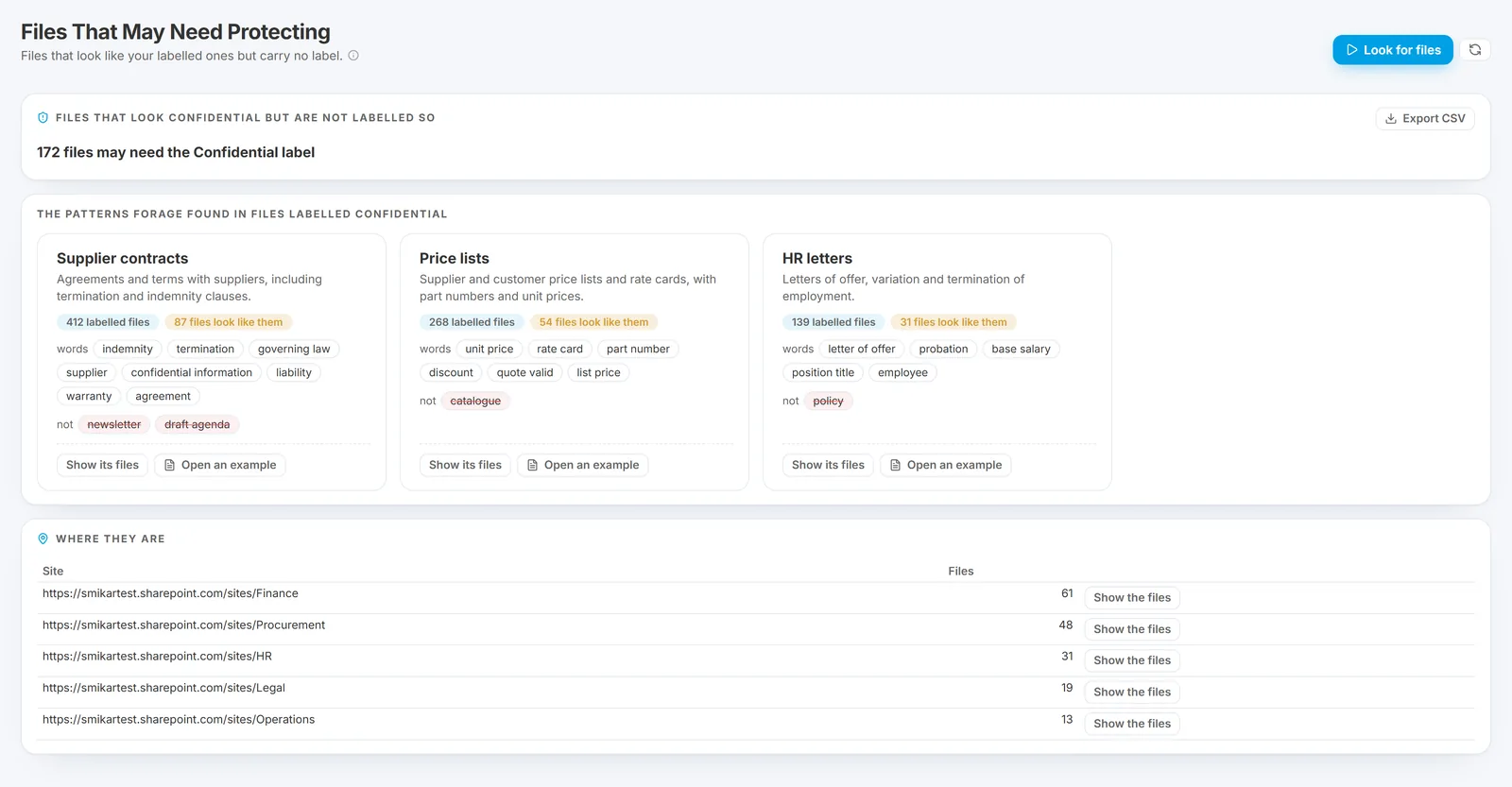
- When the run is ready, the top of the page says how many files may need the label.
- Under The patterns Forage found, each card is one kind of labelled file, such as supplier contracts or price lists. It shows how many labelled files fit it, how many files look like them, and the words that point to the pattern and the words that point away from it. Forage AI, which runs inside your own deployment, names each pattern. Press Open an example to read one of the labelled files.
- Under Where they are, see the sites the look-alike files are in. Press Show its files on a pattern, or Show the files on a site, to list them with their folder, type, size, the label each has now (No label, or General or Public) and the pattern each looks like.
- Press Export CSV to take the list away, up to its first 20,000 files.
Good to know: Forage points these files out and changes no label in Microsoft 365. A file looks like a pattern because of the words in it, so check a few before you act on the list. Forage learns only from files that carry the label and have been read, using the sensitivity label that Squirrel recorded for each file, and it checks only the files it has read.
See what each page shows for the rest of the Records section, and limitations for what Forage does not do.
Questions go to sales@smikar.com.