
Find Files by Label in Forage Search
2 min read · Last updated · Page version 2
Where content classification is enabled on a deployment.
Purpose: find the files that carry a label, and narrow them by words and the usual filters.
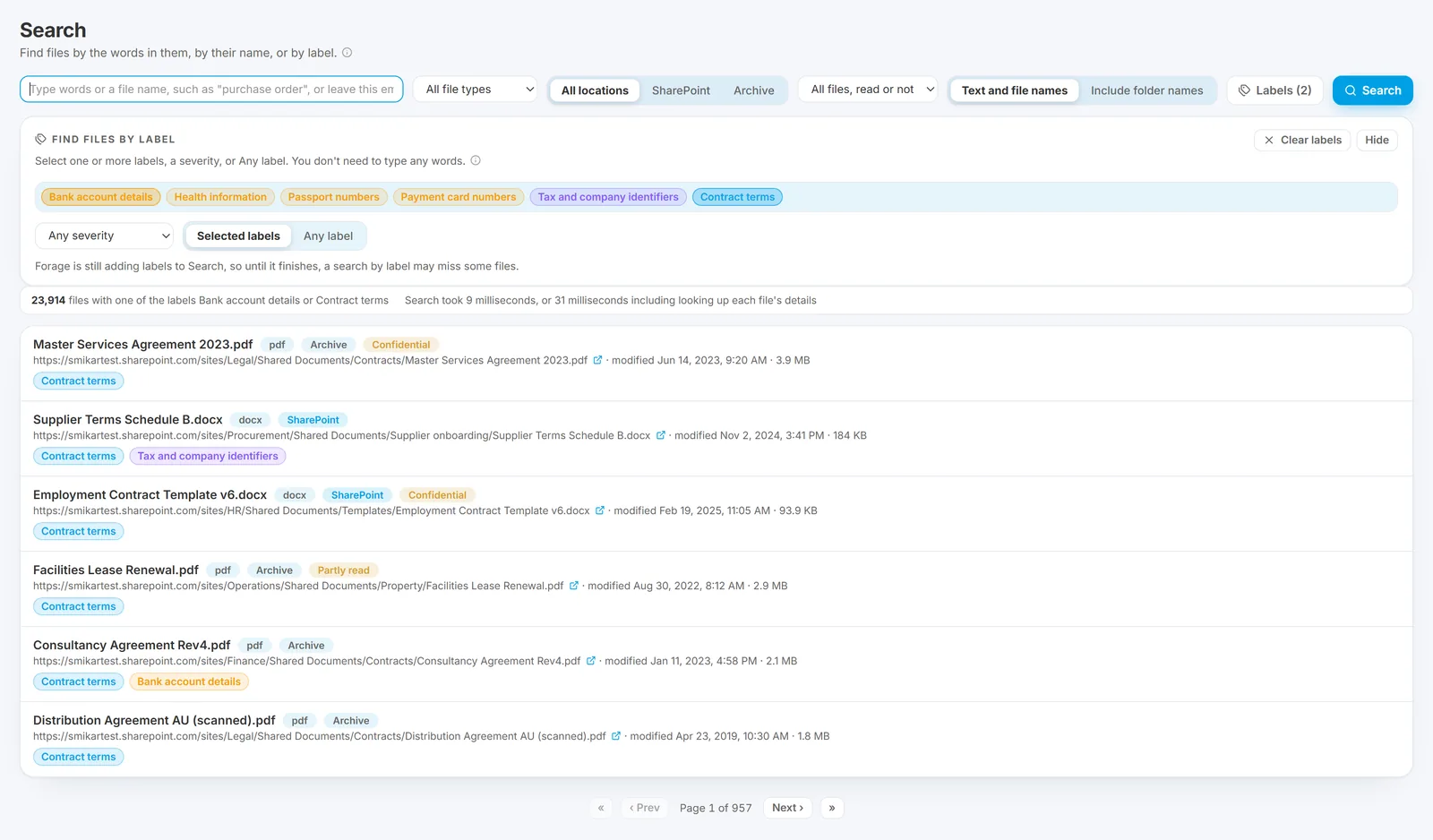
- Open Records, then Search by Label under Classification. Search opens with Find files by label showing. (From Search under Records, press Labels beside the search box.)
- Click one or more labels to choose them. A file with any of the chosen labels is found. Click a chosen label again to take it off.
- Or choose a severity: Highest only, High and above, down to Routine and above. Or choose Any label for every file that carries one; this takes the chosen labels off.
- Type words too if you like, and use the other filters as usual: file type, SharePoint or Archive, whether it was read, and folder names. With no words, the files are listed most recently changed first.
- Each result shows its labels, coloured by severity. Click one to narrow the search to that label; the words stay.
- Press Clear labels to take every label choice off, or Hide to close the label filter.
Good to know: every choice is kept in the page's address, so a search by label can be bookmarked or sent to a colleague. The Classification overview's Files by label chart, the Labels page and the labels on the Labels by file report all open Search this way. A retired label's link still finds the files found under it before it was retired.
These are Forage's own content labels, not the Microsoft sensitivity or retention labels Squirrel recorded. A label reaches Search once its file has been checked, so a search by label can miss files that are still waiting, and the page says so while labels are still being added. Search results cannot be exported; use the Labels by file report for a list you can keep.
See what each page shows for the rest of the Records section, and limitations for what Forage does not do.
Questions go to sales@smikar.com.