
Squirrel Site Custom Policies for Archive
3 min read · Last updated · Page version 11
The Site Custom Policies feature in Squirrel allows administrators to create site-specific archiving rules that override the global settings.
This is useful when different sites require different retention criteria - for example, keeping large engineering drawings for longer, or excluding temporary project files.
Important: site-specific policies always override global settings for the same option. For example:
If the global minimum file size is set to 1 MB, and a custom site policy specifies 5 MB, the 5 MB rule will apply to that site only.
This applies to every custom policy option: the file types to archive, the file types to exclude, and the minimum file size.
Creating a Custom Policy
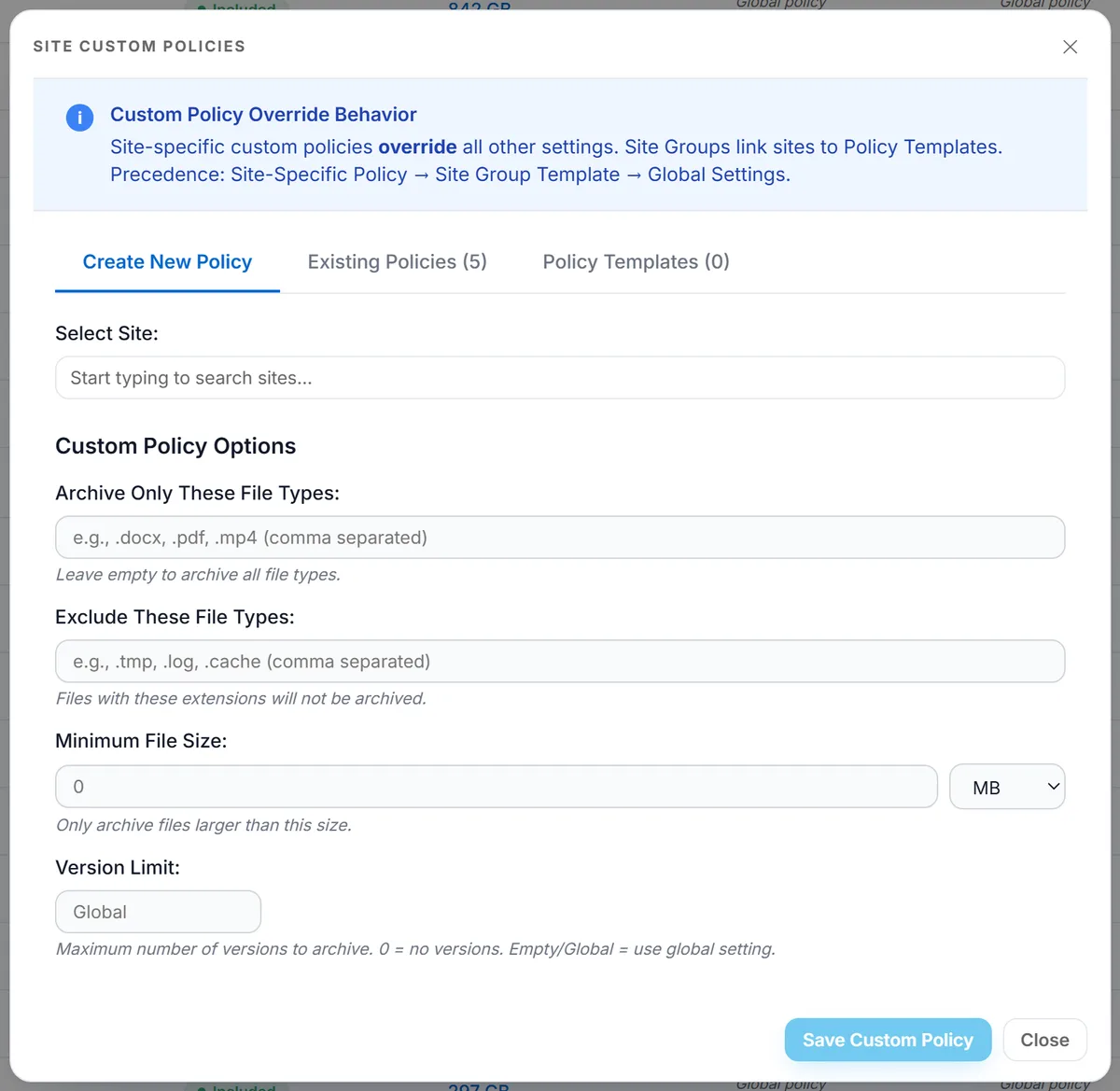
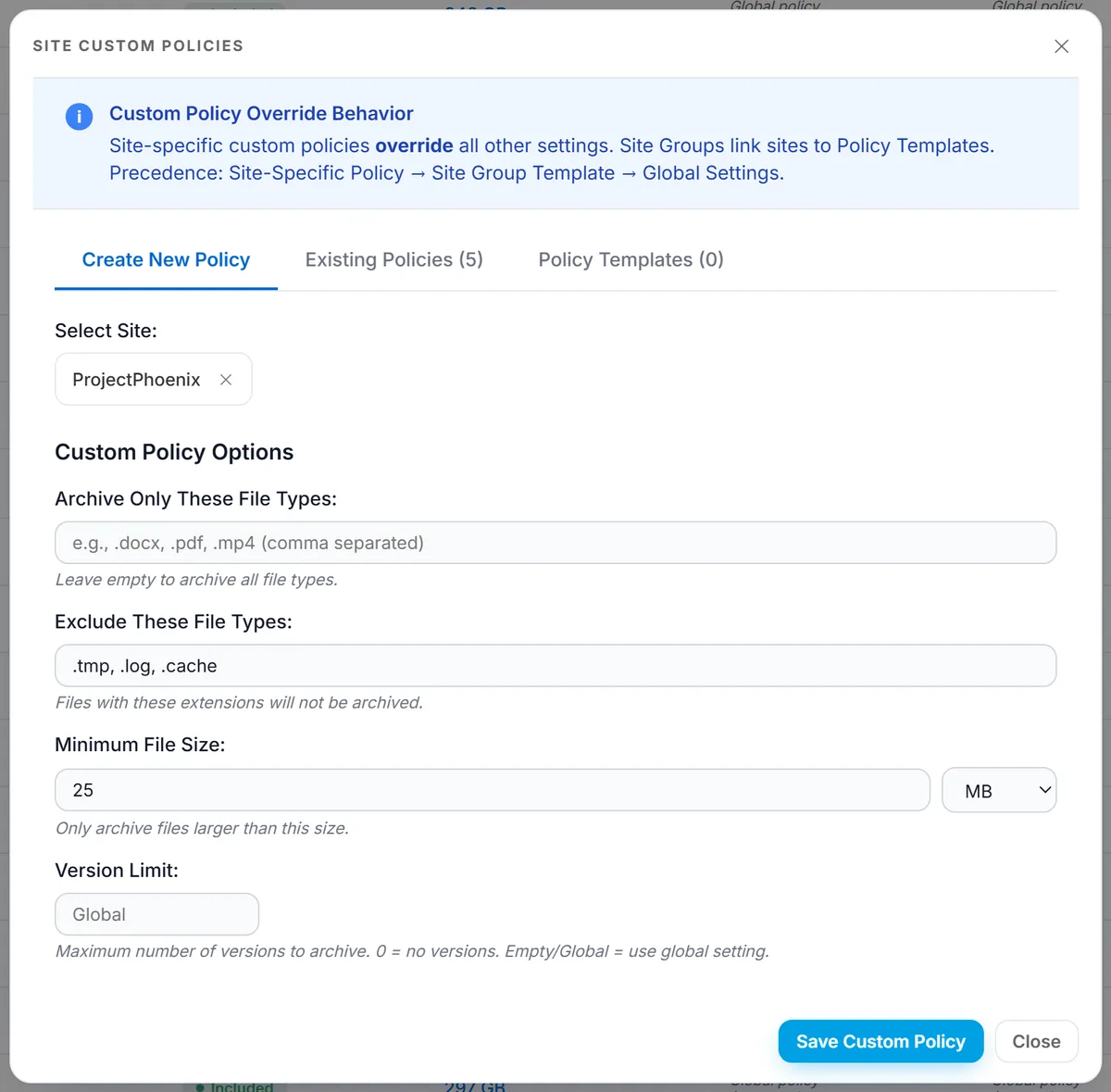
- Open the Site Custom Policies window from the Site Archive Settings side panel.
- Use the Select Site field to choose the SharePoint site you want to target.
- Configure Archive Only These File Types (allowlist) or leave empty to allow all file types.
- Configure Exclude These File Types (denylist) to block certain extensions (e.g., .tmp, .log, .cache).
- Set a Minimum File Size to only archive files larger than this threshold. Leave at 0 for no minimum.
- Click Save Custom Policy to apply changes.
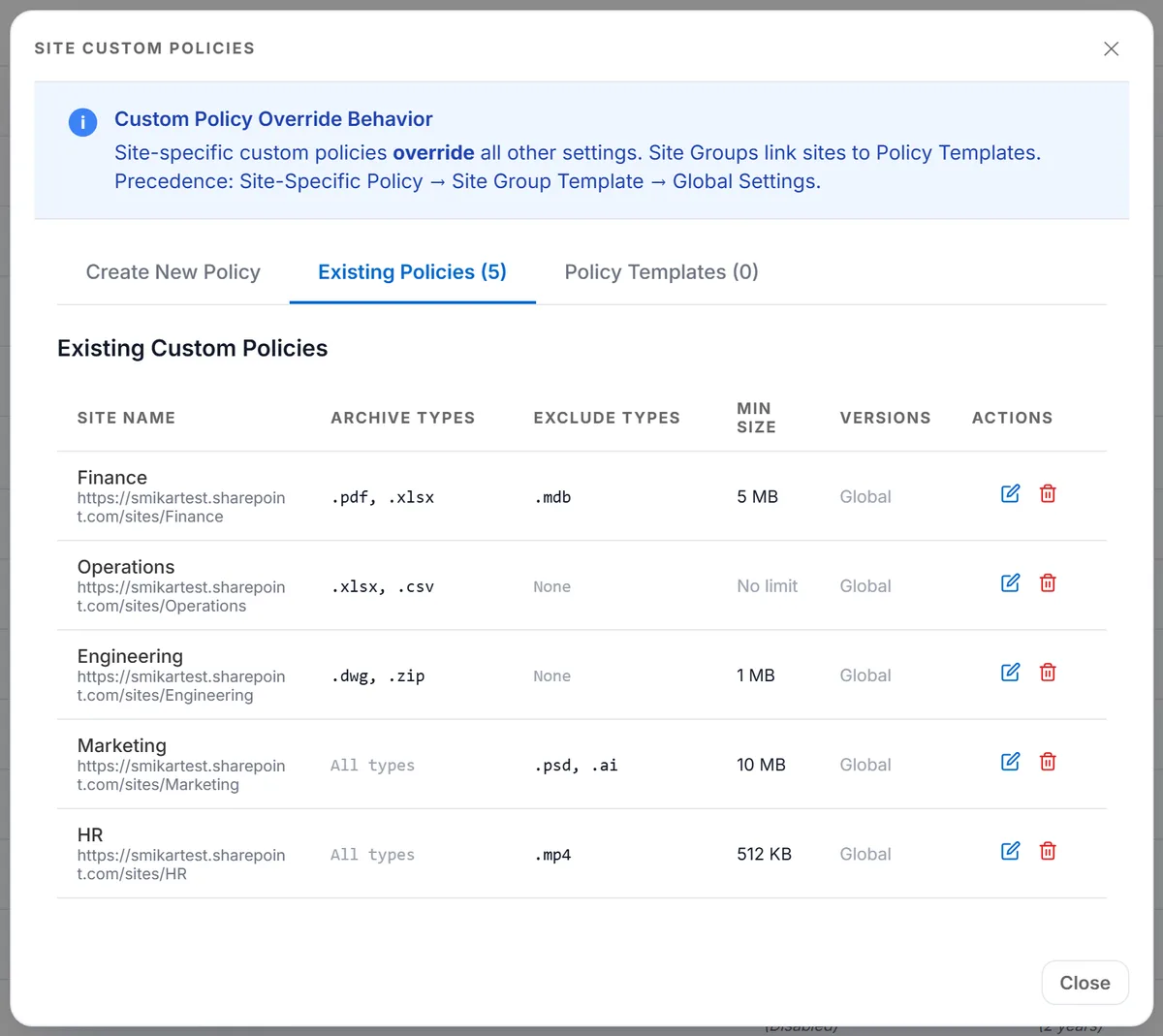
The Existing Policies tab lists what is already in force, so you can check whether a site is already covered before adding another.
Policy Options Explained
| Option | Description |
|---|---|
| Archive Only These File Types | Allowlists file extensions for archiving (e.g., .docx, .pdf, .mp4). Only these file types will be captured. Leave empty to capture all file types. |
| Exclude These File Types | Denylists file extensions from archiving (e.g., .tmp, .log, .cache). These files will never be archived. |
| Minimum File Size | Ensures only files larger than a specified size are archived. Useful for ignoring very small or trivial files. Leave empty or set to 0 for no restriction. |
Managing Policies
Multiple custom policies can exist across different sites.
Use the Existing Policies tab to view, edit, or delete previously created policies.
Policies take effect immediately and will override global rules on the next archive run.
Best Practices
Apply custom rules only where business requirements differ from global defaults.
Use allowlists for sensitive sites where only specific file types should be retained.
Use denylists for high-volume sites to prevent unnecessary archiving of junk data.
Review custom policies regularly to confirm they still align with compliance and governance standards.