
The Tuning Model: Five Ways to Control Any Rule
9 min read · Last updated · Page version 22
Five controls govern how loud Burrow is. They are layered: each one affects less than the one before it, so you start wide and narrow down rather than editing individual thresholds first.
- Detection posture - one setting, every rule at once.
- Per-rule overrides - one rule at a time.
- Baseline-maturity gate - holds a rule back until it knows the account.
- Persistence gate - requires a pattern to repeat before it alerts.
- Entity exceptions - silences one user or app. On top of those, two automatic modifiers (service-app multipliers and noise gates) run without configuration. This article walks each layer, when to reach for which, and how they interact.
The five layers, widest first
Layer 1 - Detection posture (whole-system)
The detection posture is a single selector on the Settings page that sets the noise-vs-sensitivity baseline for every rule at once. Five postures ship, from least to most sensitive:
| Posture | Profile | Typical use |
|---|---|---|
| Permissive | Catches only the obvious - large bytes, mass operations. Roughly 50% lower volume than Balanced. | Trial deployments, very small SOC team. |
| Relaxed | One step below Balanced. Roughly 25% lower volume. | Established tenants where Balanced was too noisy after exceptions. |
| Balanced (default) | Tuned for typical mid-size tenants. | Default starting point. |
| Strict | One step above Balanced. Roughly 50% higher volume. | Mature SOC teams that want more signal coverage. |
| Paranoid | Catches small movements early. Roughly 3x volume vs Balanced. | High-risk tenants, post-incident hardening. |
How to change it: Settings page → Detection posture selector → pick → Save. (This is now the only place posture is set; the Rules page shows the current posture read-only and links here.) Every rule's posture-default thresholds shift on the next detection pass.
Blast radius: every rule affected simultaneously. Per-rule overrides still win over the new posture.
Layer 2 - Per-rule override (rule-wide)
When a single rule is consistently too noisy or too quiet for your environment but the rest are fine, override that one rule's threshold without changing the posture.
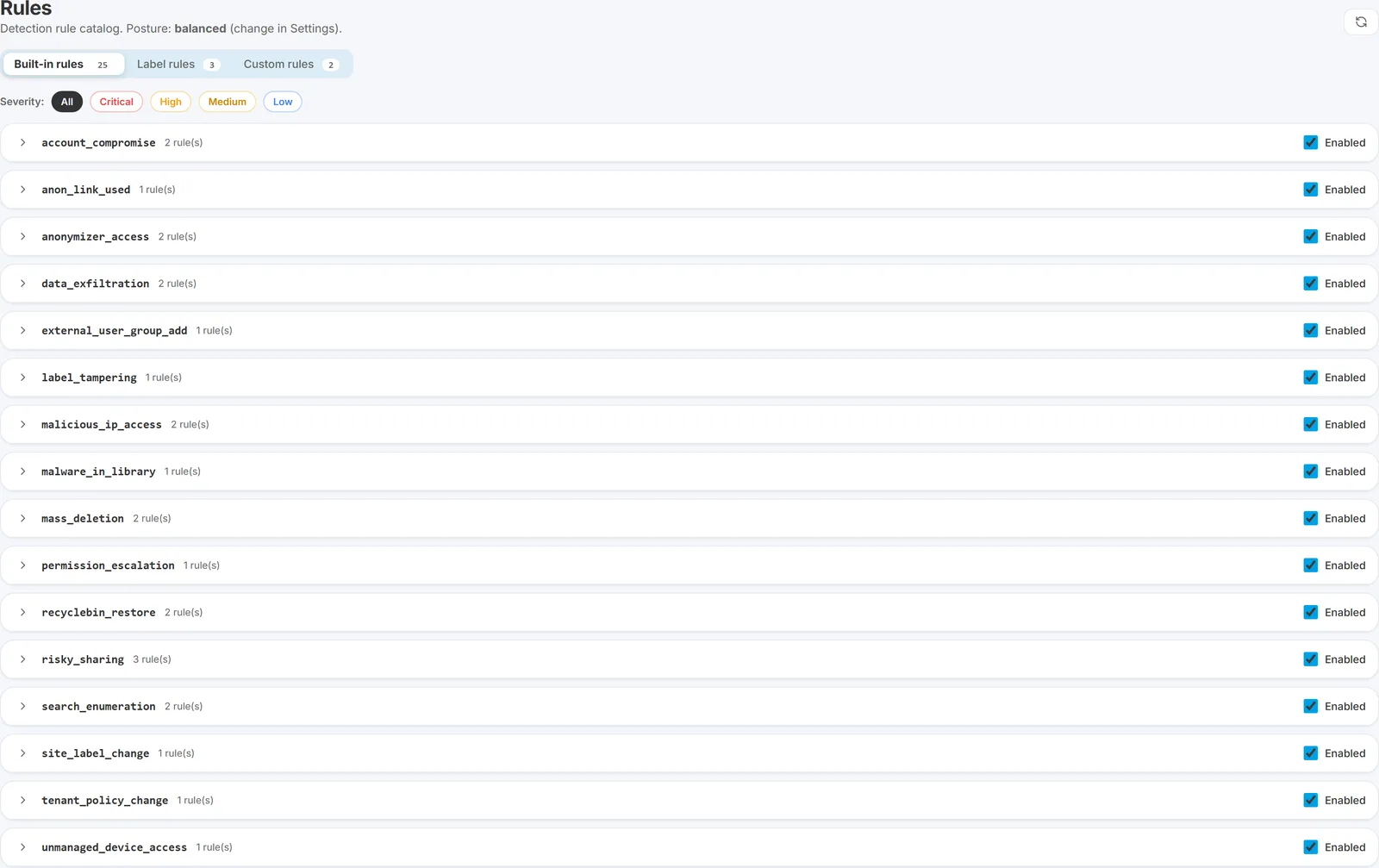
How to do it: Rules page → expand the rule's accordion → set a custom value → Save. The override wins over the posture preset for that rule on every user.
Blast radius: the rule applies the new threshold to every user. If the override is misconfigured, that rule produces no alerts (or far too many) until you reset.
Reverting: Rules page → reset to posture default, or remove the value from the override. Every change appears on the History page - one-click revert from there.
Pin a rule's severity instead of its threshold. Each rule row on the Rules page also has an edit sev control that pins that rule's severity to any level (Info through Critical), independent of its thresholds. This is the gentle way to quieten a chatty-but-wanted rule: pin, say, unusual_hour_activity to Low and it stays fully visible on the dashboard but stops crossing your email minimum-severity floor - no threshold changes, nobody suppressed, detection unchanged. A badge marks the override and a reset returns it to the rule's default.
A severity pin can lower freely, but cannot raise past what the evidence supports. Some rules cap their own severity when the trigger itself proves the scope was limited - a tenant_policy_change that turns out to be site-scoped caps at medium and says so in its trigger text. Pinning that rule to critical no longer overrides the cap; the alert stays medium and records severity_override_capped. The reason is consistency: before this, the trigger text could say "capped at medium" while the stored severity read critical, and an operator had no way to tell which to believe.
Layer 3 - Baseline-maturity gate (UEBA cold-start protection)
The UEBA family of rules (behavioral_deviation, peer_group_deviation, intraday_velocity_burst, unmanaged_baseline_spike, search_baseline_deviation, weekend_posture_drift, unusual_hour_activity, ua_anomaly, dow_drift) compares today's activity against the user's own history. A user with not enough history yet - a new hire, a returning-from-leave staff member - has no meaningful baseline, so those rules would false-alarm on ordinary activity.
The baseline-maturity gate skips those rules for entities with fewer than a minimum number of days of history (default 5). Once enough history has accumulated, the gate lifts automatically for that entity.
How to change it: the gate is on the Baseline maturity card of the Settings page - an on/off toggle, a minimum-days control (0 to 60), and a rules selector (All eligible, Include a named subset, or Exclude a named subset) that controls which baseline-comparison rules wait for history. Absolute-threshold rules (mass deletion, exfiltration, account compromise) always fire regardless of this gate.
When to reach for it: if you have a tenant with heavy staff turnover and cold-start false alarms are the noise complaint, raise the minimum-days gate to 10 or 14 to let baselines mature further before UEBA fires.
Layer 4 - Persistence gate (fire only after N trips)
A per-rule setting that suppresses an alert until the same rule has tripped N times within a time window on the same entity. Useful for rules that occasionally single-fire on borderline patterns you do not want to page on - set persistence to 2 trips in 1 hour and the rule only fires on repetition.
How to configure: on the Rules page, expand the rule → set the persistence period (10m / 1h / 8h) and the minimum trip count → Save. Applies to the rule globally.
Critical rules are exempt. The following are always-fire-on-first-sight and cannot be persistence-gated - the risk of missing them outweighs the noise: ransomware_signature, oauth_consent_grant, impossible_travel_signin, audit_tampering, site_collection_admin_grant, tenant_policy_change, anonymizer_access, malicious_ip_access, aad_password_spray_lockout. If you attempt to persistence-gate one of these, the setting is ignored and the rule still fires immediately.
Layer 5 - Entity exceptions (surgical)
The most targeted layer. Suppress or downgrade a specific (user, category) pair without touching the rule for any other user. The right tool for one noisy service account, a vendor automation account, or a known-late-shift power user.
See Entity exceptions for the full pattern syntax and audit trail.
Two automatic modifiers you should know exist
Two more layers run automatically, without configuration:
- Service-app multipliers. Automation identities (service principals, batch scanners) get higher thresholds on enumeration-shaped and restore-shaped rules, since batch tools legitimately do high volume. Prevents obvious service-app patterns from tripping human-tuned thresholds.
- Noise gates. Ten deterministic filters that demote platform-machinery patterns to low regardless of threshold - thumbnail / preview fetches, Office-web-viewer opens, site-icon fetches, share-dialog fanout, and so on. Each demoted alert names the specific gate in its Trigger Why text.
Neither is configurable per-tenant. Both are baked in and reflect universal M365 audit-shape truths.
Disabling a rule outright
Separate from the tuning layers is the option to disable a rule outright on the Rules page. This is the heavy hammer - no alert of that category is generated for any user, ever.
Use sparingly. The two cases where it is legitimate:
- The rule does not apply. Example: you have no MIP labelling rollout, so the rules that gate on labelled-file activity will never produce useful signal.
- A category is fundamentally too noisy in your environment even after posture, per-rule, persistence, and exception tuning combined - and the cost outweighs the value.
For one-user noise - even a chronically-noisy service account - use an entity exception instead. The exception is scoped; the disable is global.
How the layers interact
The evaluation order:
- Is the rule disabled? No alert generated, ever.
- Is the entity below the baseline-maturity gate for a UEBA rule? Skip.
- Is there a per-rule override for the threshold? Use it. Otherwise use the posture default.
- Does the alert pass the persistence gate for this rule? If not, skip. If the rule is on the exempt list, always fire.
- Alert generated. Then service-app multipliers, noise gates, and entity exceptions run - demoting or suppressing before the email step decides what to send.
When to use which
| Symptom | Reach for |
|---|---|
| One user / service account is noisy in one or many categories | Entity exception (layer 5) |
| A rule fires once and does not repeat but you only care about repetition | Persistence gate (layer 4) |
| New-hire or returning-from-leave staff hit UEBA false alarms | Baseline-maturity gate (layer 3) |
| One specific rule is noisy across many users | Per-rule override (layer 2) |
| Many rules are too noisy across the board | Posture change (layer 1) |
| A rule fundamentally does not apply to your tenant | Disable outright |
A typical tuning workflow
- Start at Balanced. Run for 2 weeks.
- Review the Suggestions page (main nav → Tuning → Suggestions). Apply suggestions that match your environment.
- For repeated noise from specific users, add entity exceptions.
- For repeated noise from a specific rule category, add a per-rule override.
- If overall volume is still too high, shift to Relaxed. If too low, shift to Strict.
- Use Rule replay before committing a posture or threshold change to preview the effect over the last 24 hours of activity.
What NOT to do
- Do not disable a rule to silence a single user. Use an exception. Disabling blinds the whole tenant to that class of attack.
- Do not raise a threshold past the next posture's default. If you are routinely setting Balanced thresholds to Permissive levels, just change the posture.
- Do not tune away the UEBA family. The baseline-deviation rules catch things deterministic rules miss. If they are noisy, raise the minimum baseline-maturity gate rather than disabling.
- Do not make changes without a reason text on exceptions. Future-you, looking at the History page, will thank present-you.
Every change you make through the Rules page is logged on the History page with timestamp, your operator identity, and a before / after diff - so undoing a change is a one-click affair from the History entry.
See also
- The Settings page - where the posture selector lives.
- The Tuning menu - escalate ↑ / silence ↓ / advisor, the orientation for the Tuning nav group.
- Tuning a noisy rule - the workflow, with the Suggestions page.
- Entity exceptions - per-user noise control.
- Rule replay - preview a tuning change.
- Rule catalog - the full per-rule reference.
- Noise gates - the automatic platform-noise filters.
Need help? support@smikar.com.