
Squirrel Activity Monitor - Archive Queue
2 min read · Last updated · Page version 13
The Activity Monitor section in Squirrel gives administrators real-time visibility into the active and pending workloads in the archive and restore process.
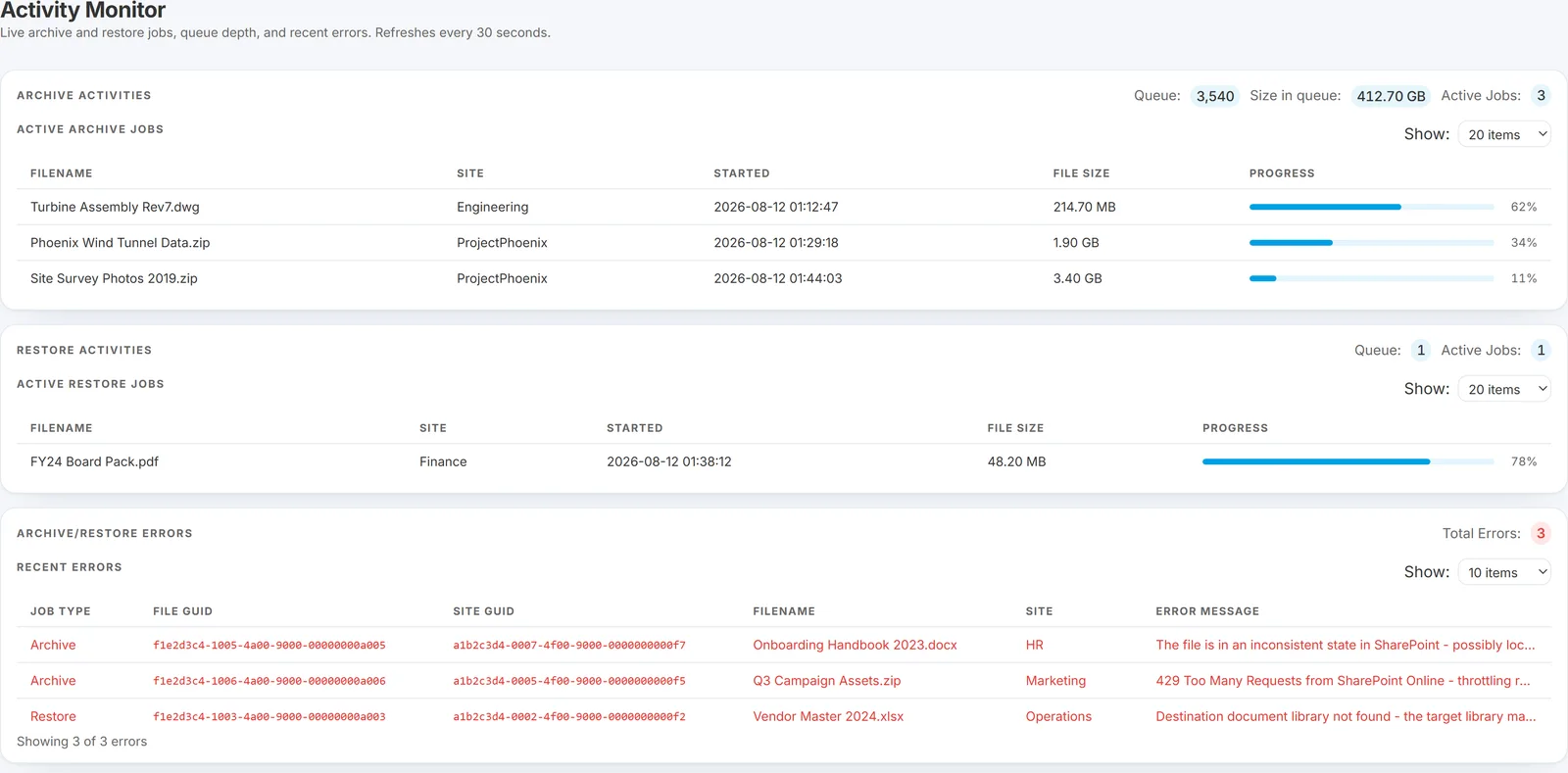
Select Activity Monitor from the Squirrel menu. You will see every document currently queued or processing for archive and restore.
Key Details Displayed
Each row in the Archive Queue provides essential information about pending archive operations:
-
File Name
Displays the file name currently being processed. -
Site
Identifies the SharePoint site the file belongs to. -
Started
When the job began, so you can see how long something has been running. -
File Size
The size of the file, which is the main thing that determines how long it takes. -
Progress
A progress bar showing how far through the job Squirrel is.
The queue updates in real time as files are added, processed, and archived/restored.
Actions & Workflow
- This page is read-only and meant for monitoring only.
- No manual actions (e.g., Restore, Delete) are performed from the Archive Queue view.
- Once files are processed, they will disappear from this list and appear in the Archived Files view.
If you notice files lingering in the queue longer than expected, check your worker node status or contact support@smikar.com for assistance.
Need help monitoring or optimising your archive processing? Reach out to your SmiKar representative or email our support team.