
Restore an Archived SharePoint Site
3 min read · Last updated · Page version 18
Restoring an entire SharePoint Online site from Squirrel is a streamlined and reliable process. This guide walks you through the steps required to fully restore all previously archived files within a selected site.
Important Note: Only files that were archived by Squirrel will be restored. Any files that were not archived will remain unaffected.
In this example, we’ll restore files from a previously archived SharePoint site named "Engineer."
Steps to Restore an Archived SharePoint Site
| Step | Description | Image |
|---|---|---|
| Step 1: Access the Squirrel Dashboard | Log into the Squirrel web portal and navigate to the Restore section from the main menu. |  |
| Step 2: Select the SharePoint Site for Restoration | Locate the archived site (e.g., “Engineer”) in the list of sites. Click Restore Site to begin. | |
| Step 3: Confirm the Restoration Process | A confirmation prompt will appear, notifying that the restore may take time and affect users. Click OK to continue. | |
| Step 4: Monitor the Restore Progress | The site will be added to the Restore Queue. Navigate to the queue section to monitor progress in real-time. | 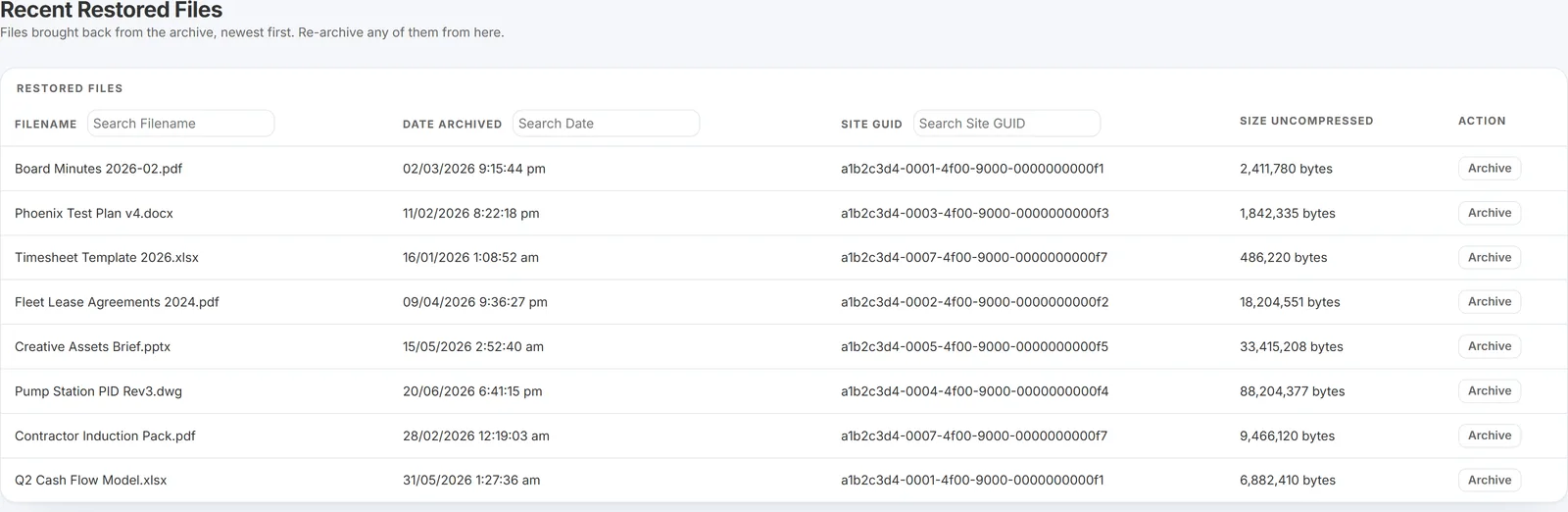 |
| Step 5: Verify the Restored Files | Once restoration is complete, return to SharePoint Online. Go to the “Engineer” site and confirm the presence of restored files. | 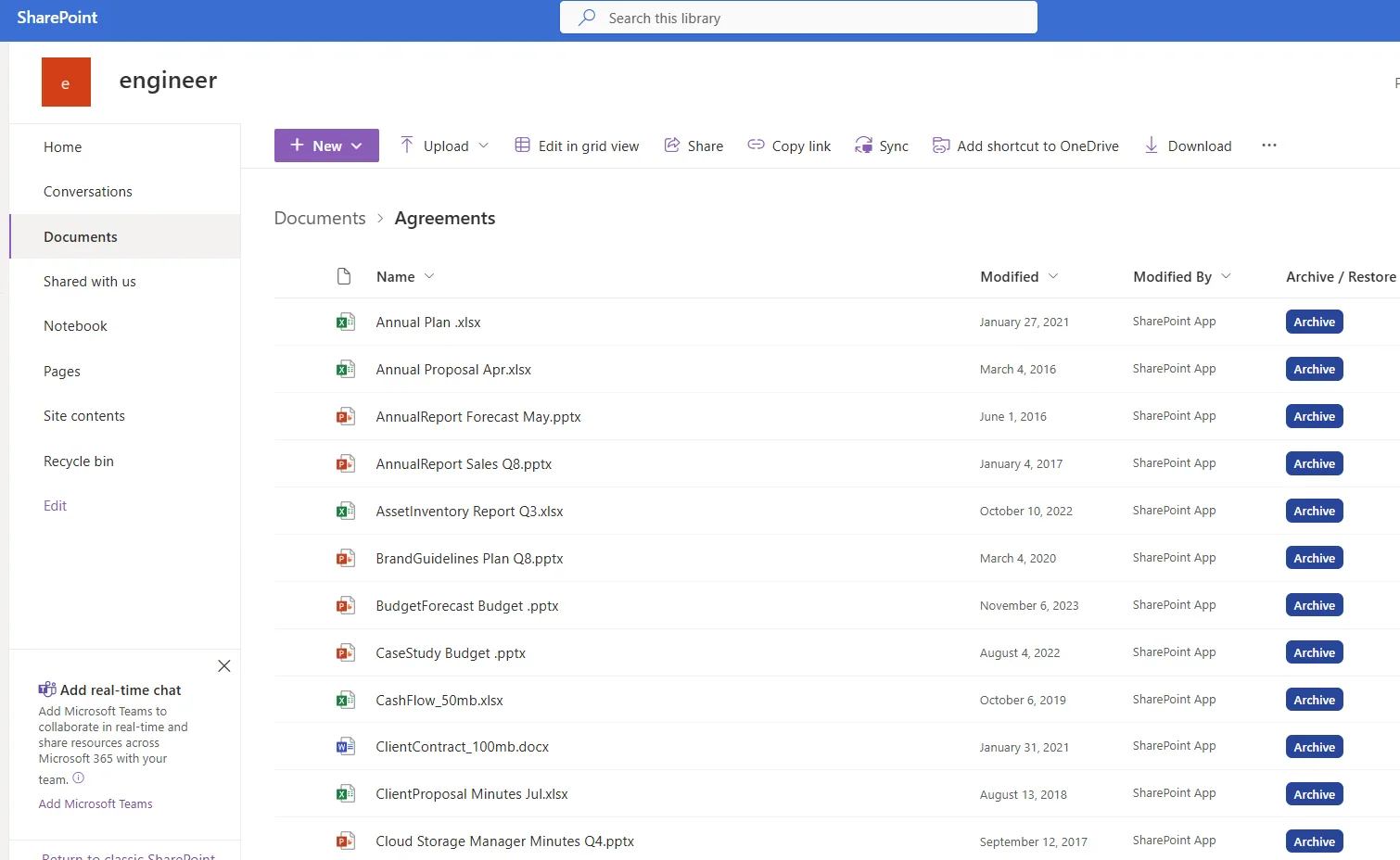 |
| Step 6: Validate Access and Integrity | Open several restored files to verify access, metadata, and version history. Check permissions if needed. | 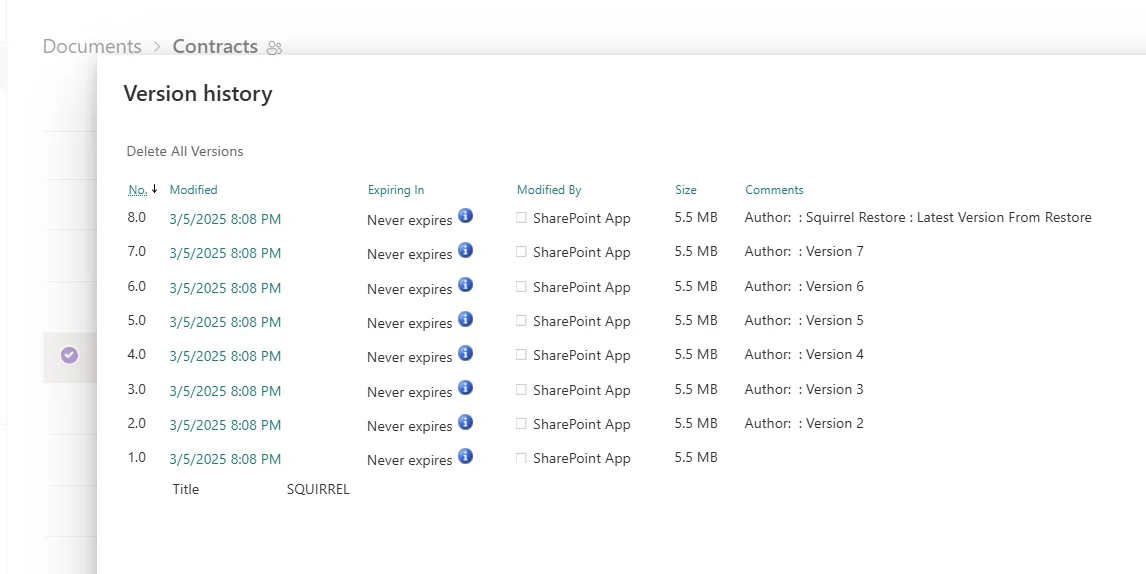 |
What the confirmation tells you
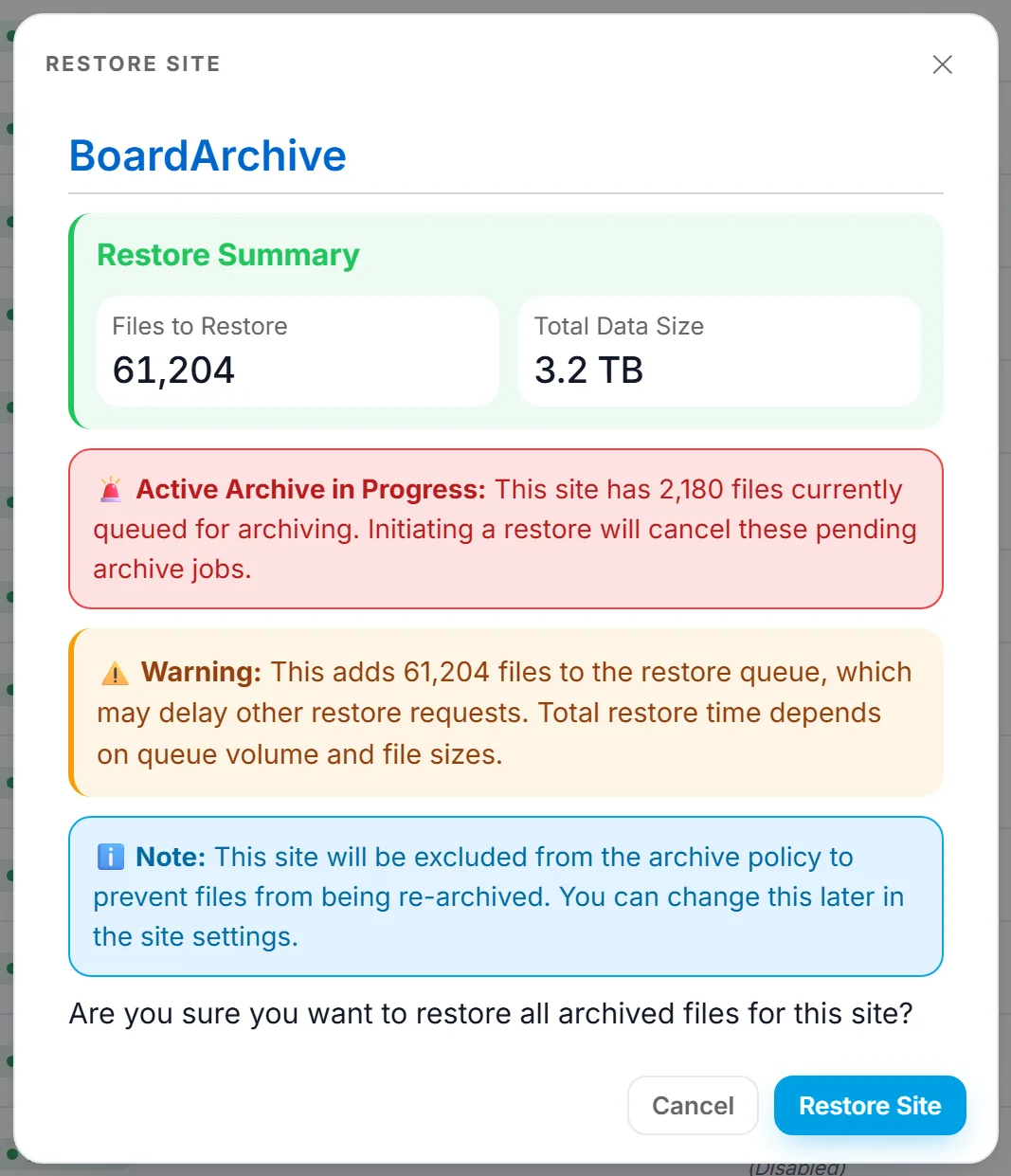
Before a site-wide restore runs, Squirrel shows a summary worth reading:
- Files to restore and total data size, so you can confirm the scope before committing.
- A warning if an archive is still in progress for that site. Starting a restore cancels those pending archive jobs.
- A note that the site will be excluded from the archive policy. Squirrel does this so the files you have just restored are not picked up and re-archived by the next policy run.
That last point is easy to miss. After a full-site restore the site stops being archived until you set it back to Included in site settings. That is the right default after a recovery or a decommission, but if you restored a site that should carry on archiving, changing it back is a step you have to take yourself.
Conclusion
Restoring archived files from Squirrel is fast, reliable, and minimally disruptive to your SharePoint environment. This full-site restore feature:
- Brings back only archived files (non-archived files remain untouched)
- Maintains folder structures and original metadata
- Restores content exactly where it was archived from
A full-site restore is the reverse of a full-site archive: everything comes back to where it was, with version history intact, and the site behaves exactly as it did before it was archived.