
Smart AI Search across Chipmunk Archives
1 min read · Last updated · Page version 7
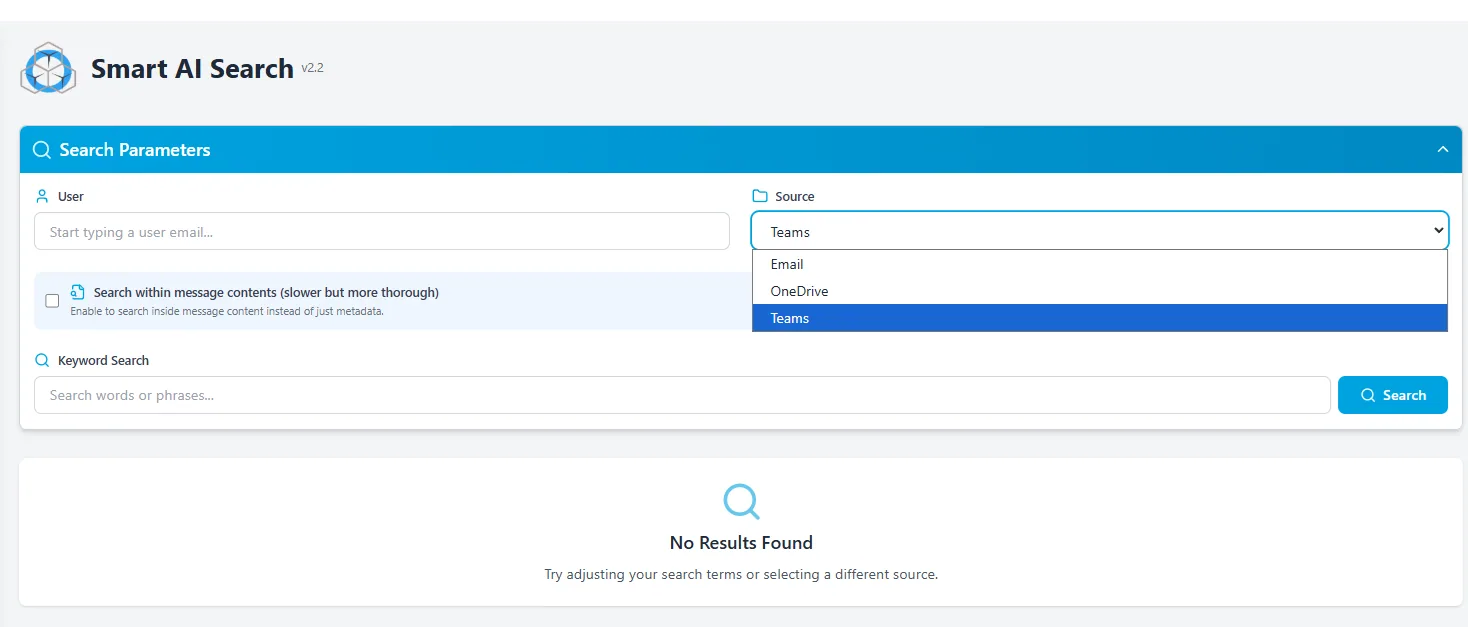
The Smart AI Search page allows users to perform advanced searches across archived content using natural language queries, powered by Microsoft Azure AI.
Features
-
AI-Powered Search
Use keywords to search emails, chat conversations, and documents.
Example:project chameleon -
Source Selection
Choose between: -
Email
-
OneDrive
-
Teams
-
User Filtering
Narrow the search to content from a specific user by typing their email address. -
Keyword Search
Use traditional keyword search to match phrases across metadata or content. -
Content Search Mode (Optional)
Enable Search within message contents to perform a full-text search inside messages or documents (slower but more accurate). -
Search Feedback
If no results are found, users are prompted to adjust filters or keywords.
Use Cases
- Identify mentions of sensitive terms or topics across historical chat/email/files.
- Locate specific messages or files across a departing employee's archive.
- Provide legal or compliance teams with fast access to relevant records.
- Ideal for compliance and discovery - quickly retrieve content related to investigations, audits, or legal holds.