
Activity Monitor - Chipmunk Job Tracking
1 min read · Last updated · Page version 5
The Activity Monitor page provides real-time visibility into all archiving and restore jobs across the Chipmunk appliance.
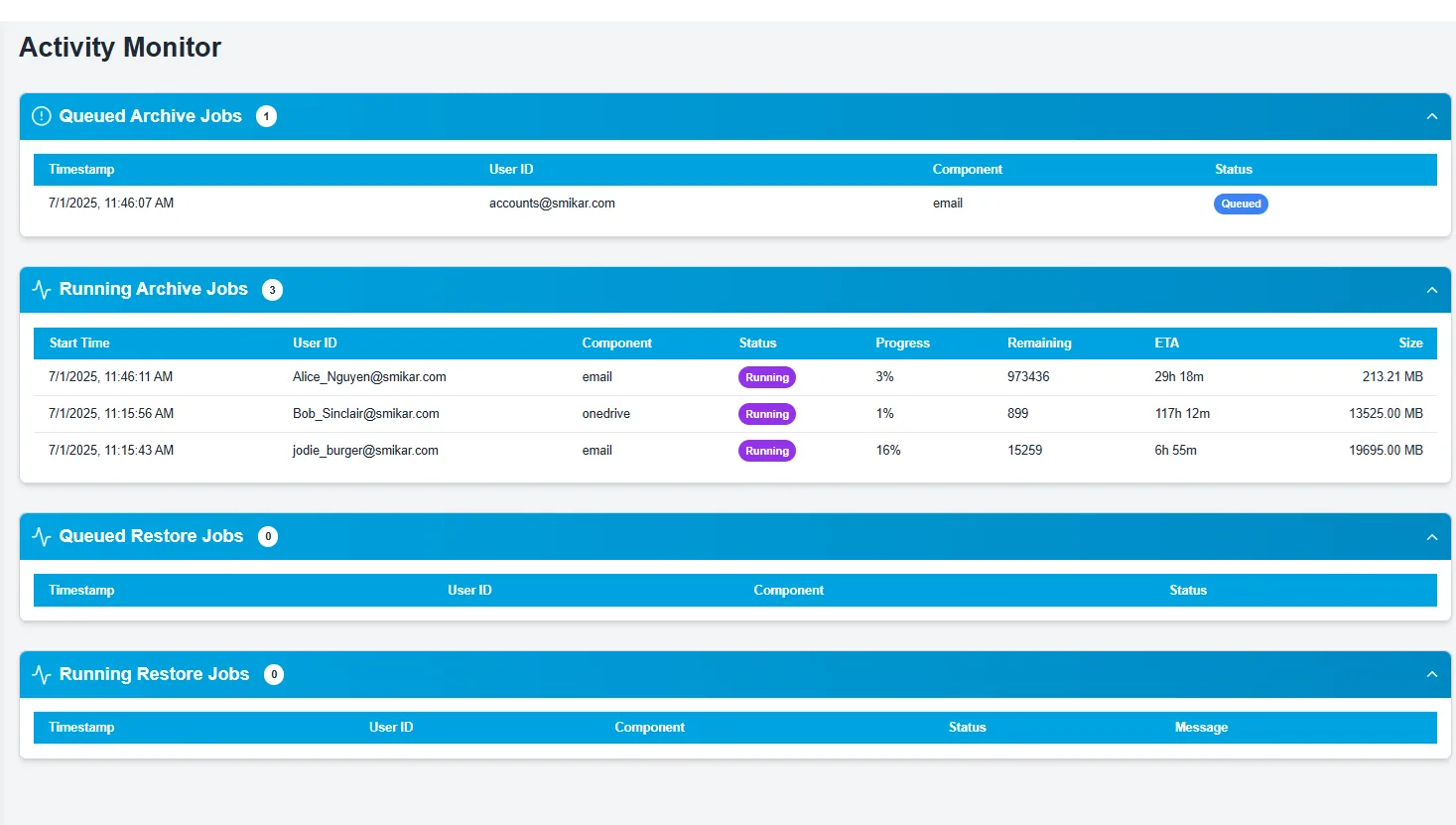
Sections
-
Queued Archive Jobs
Shows jobs that have been submitted but not yet started processing. Each entry includes: -
Timestamp
-
User ID
-
Component (e.g., Email, OneDrive, Teams)
-
Status (Queued)
-
Running Archive Jobs
Displays all active archive jobs currently in progress.
Each row includes: -
Start Time
-
User ID
-
Component
-
Current Status
-
Progress (%)
-
Items Remaining
-
Estimated Time Remaining (ETA)
-
Job Size (MB)
-
Queued Restore Jobs
Restore jobs that have been submitted and are waiting in the queue. -
Running Restore Jobs
Shows any restore jobs that are actively running, with similar tracking metrics as archive jobs.
Why It’s Useful
- Helps admins track current system load and job distribution.
- Useful for troubleshooting slow jobs or bottlenecks.
- Quickly identify which users are being processed and estimate completion time.
- Great for monitoring the appliance during large-scale archival or mass user restoration operations.